 Voy a hablar de los comentaristas. Todos estarán de acuerdo en que es justo: ellos hablan de los bloggers; ha llegado la hora de nosotros hablar de ellos. Por lo menos, de clasificarlos, porque es un hecho que los hay de todos los pelambres. He aquí las principales especies:
1. El SPAMMER. Es el más odiado de todos. Reparte links llenos de virus, software espía (malware), y quiere a toda costa que agrandes tu cuerpo, o por lo menos, algunas partes de él. Gracias a Dios, se logra controlar bastante por medio de “listas negras” y otros aditamentos que hoy pertenecen al arsenal común de todo blogger. La batalla, sin embargo, no está ganada.
2. El MONO, o sea: MONO-temático. Este siempre comenta algo pero ese “algo” es siempre lo mismo. Si, por ejemplo, su tema-obsesión son las crueldades de la Inquisición, y tú escribes sobre cómo se está derritiendo la capa de hielo del Artico, este tío te sale con algo como: “Tarde se preocupa la Iglesia de los temas de Ciencia, la misma Iglesia que torturó a Galileo, quemó a Giordano Bruno, etc. etc. etc. …” Si escribes sobre la Jornada Mundial de la Juventud, el obsesivo sale con: “Ojalá no oculten a esos jóvenes las torturas que otros jóvenes sufrieron cuando, por ejemplo, Galileo fue torturado, etc. etc. etc. …” Si escribes sobre la distinción entre trans-substanciación y trans-significación en el tratado teológico de la Eucaristía, el hombre (o mujer) saldrá invariablemente con la suya: “¡Aja! ¿Ahora crees que puedes enredarnos con tratadillos de teología trasnochada para que olvidemos cómo Galielo fue torturado? Etc. etc. etc. …” Por supuesto, al pobre no le interesa la historia, y quizás ni sabe bien lo de Galileo. Sus principales fuentes son J. J. Benítez, Dan Brown y algún otro.
Continuar leyendo “Taxonomía de los Comentaristas”

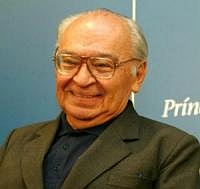 La web de las Comunidades Eclesiales de Base ha publicado una interesante entrevista con Gustavo Gutiérrez, O.P. Estos apartes de las palabras de Gutiérrez creo que muestran el tono de sus respuestas, y a la vez invitan a nuestros comentaristas a hacer lo propio.
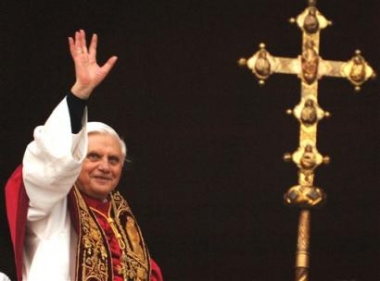 “¡Vuelve y juega!,” decimos en algunos países. Ya lo hicieron con Juan Pablo II; ahora ya empezaron a hacerlo con Benedicto XVI. Prepararse todos para el estribillo in crescendo: “el Papa está cansado; el Papa está débil; el Papa está enfermo; el Papa ya no gobierna; el Papa debería renunciar, porque quien manda es la Curia…” Con motivo de la
 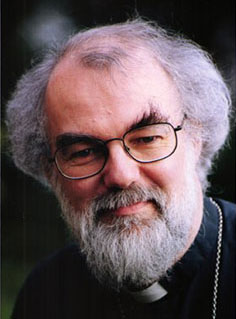 El periódico EL TIEMPO